For iPhone & Apple CarPlay

Make every drive ready.

ReadyForDrive keeps your vehicle documents and expiry dates in one place — and shows a quick drive check on CarPlay.

Your documents never leave your phone.
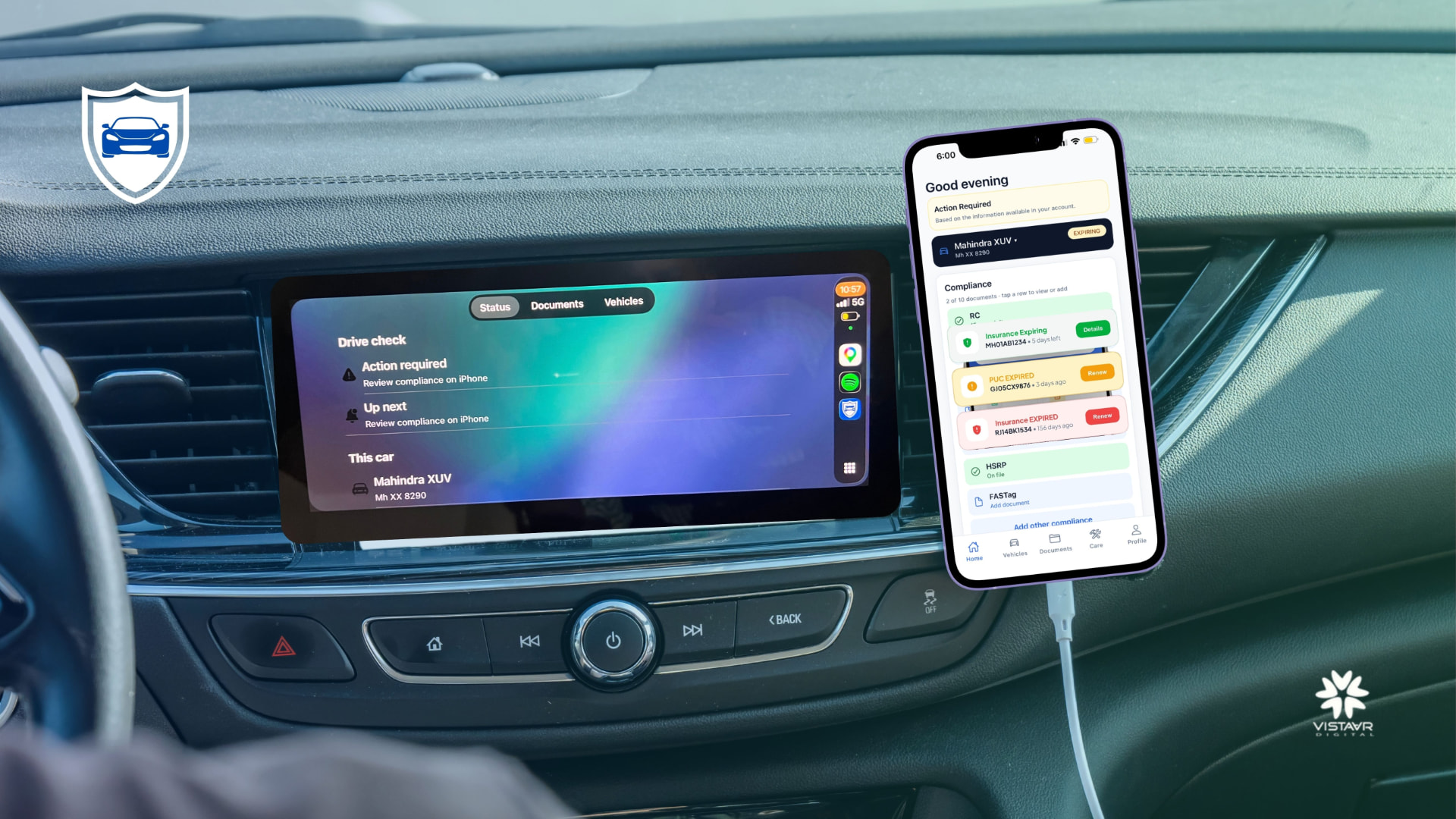
ReadyForDrive drive check on a car's Apple CarPlay screen next to the iPhone app showing compliance status

What is ReadyForDrive?

ReadyForDrive is an iPhone app with Apple CarPlay support that tracks your vehicle compliance documents — RC, insurance, PUC, HSRP, FASTag and more — and reminds you before they expire.

Reminders before expiry

Local alerts from 30 days before expiry, on the day, and after.

A glance on CarPlay

A Drive check shows status for the connected car.

Private by design

Your documents stay on your phone — never on our servers.

Features

Everything you need to stay on top of your vehicle paperwork.

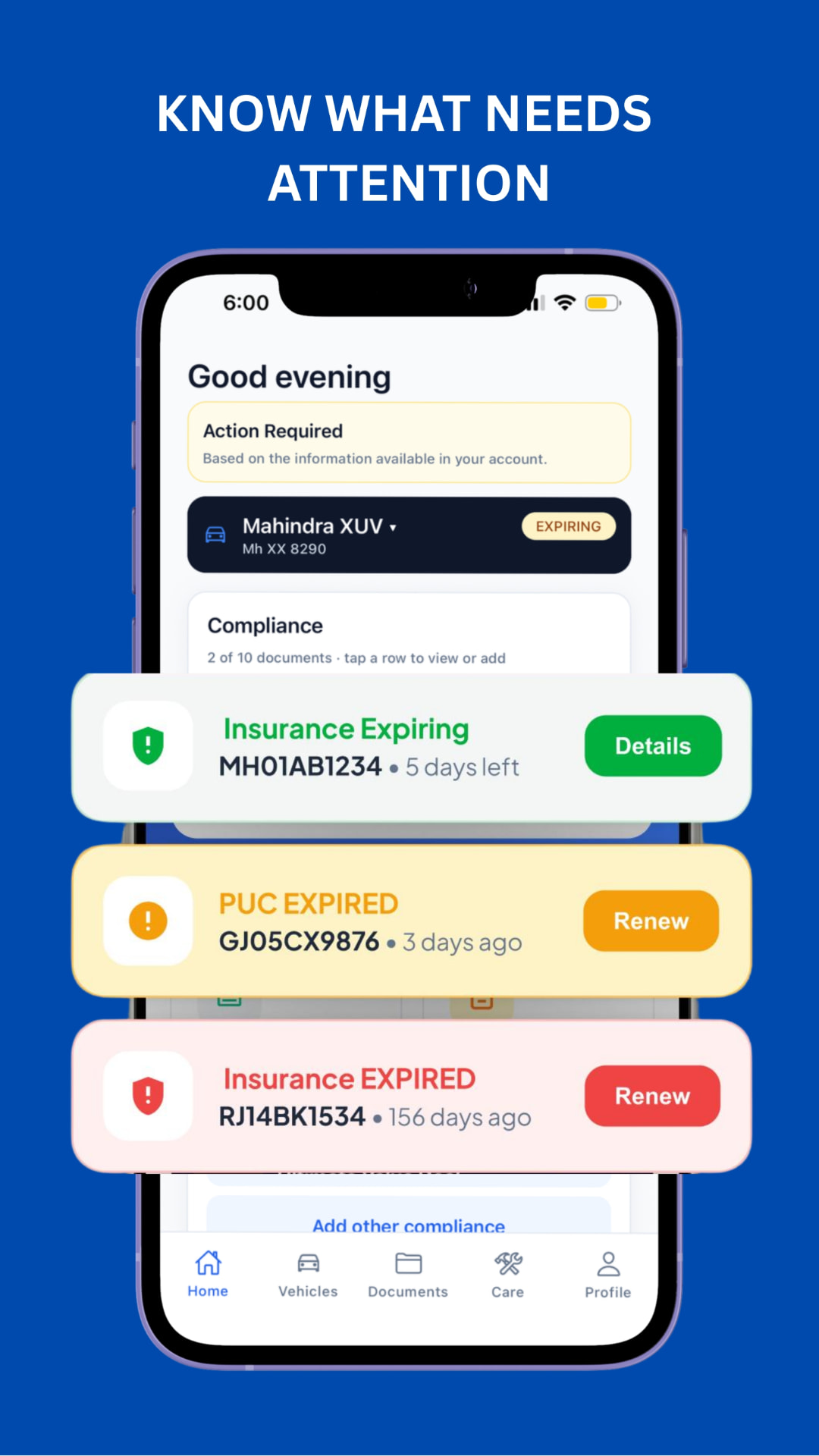
ReadyForDrive home screen showing insurance expiring, PUC expired and insurance expired alerts

Know what needs attention

Your home screen flags documents that are expiring or expired, so you can renew in time.
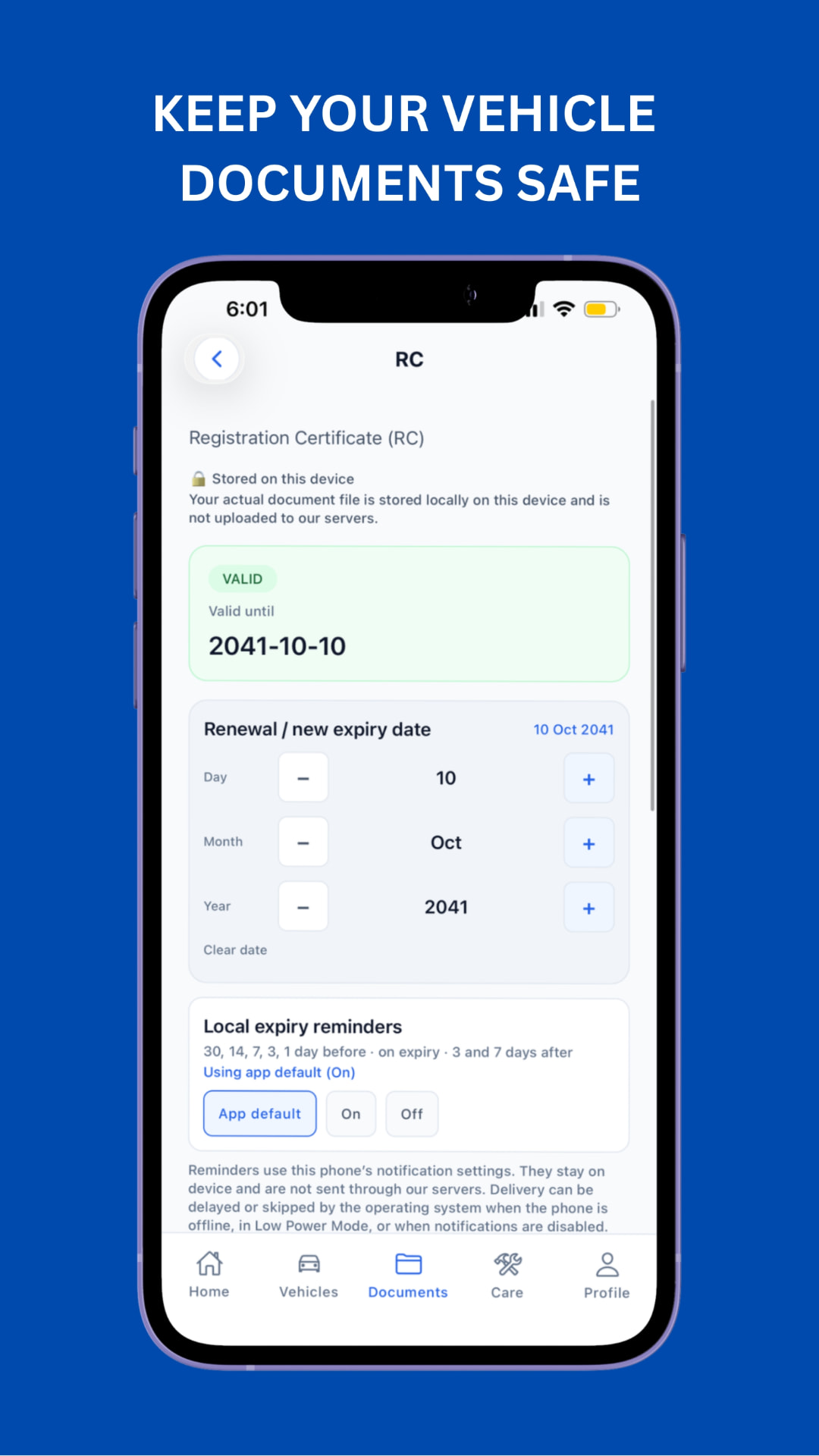
Registration Certificate screen showing valid until date and local expiry reminders

Documents stay on your device

Store RC, insurance, PUC and more. Files are kept locally and not uploaded to servers.
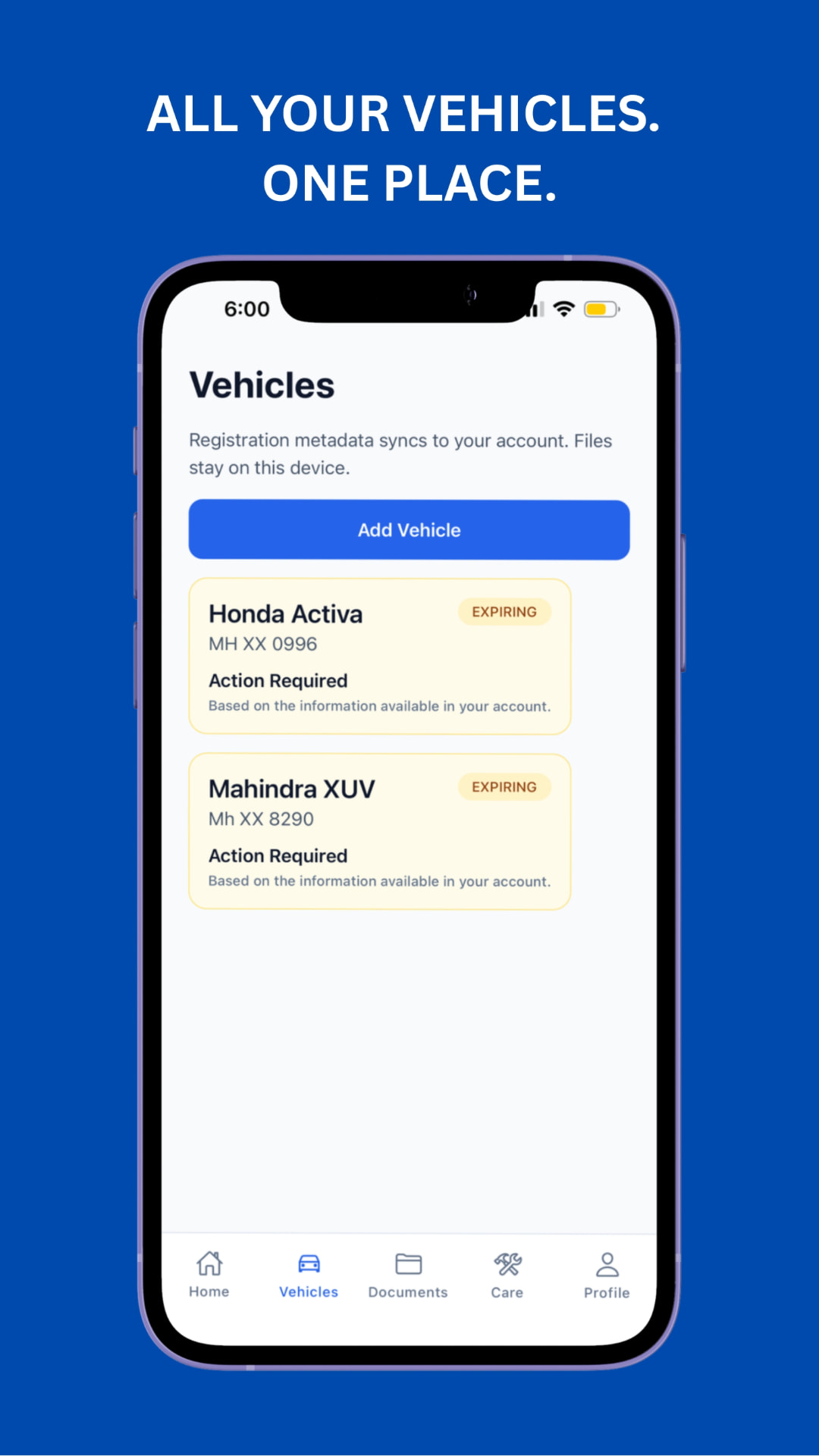
Vehicles list showing Honda Activa and Mahindra XUV with expiring status

All your vehicles, one place

Add cars and two-wheelers and see each one's status at a glance.

Data security

Your data stays on your phone.

ReadyForDrive keeps your vehicle documents on your personal iPhone. We do not store your documents on our servers or anywhere else — they stay with you.

  • Stored on your deviceRC, insurance, PUC and other files are saved locally on your iPhone.
  • Never uploadedYour document files are not sent to or kept on our servers.
  • On-device remindersExpiry reminders are scheduled by your phone, not our servers.
🔒 On this deviceNo server copies

How does ReadyForDrive work?

  1. 01

    Download the app

    Get ReadyForDrive from the App Store on your iPhone.

  2. 02

    Add vehicles & documents

    Enter your vehicles and document expiry dates — before you start driving.

  3. 03

    Check on CarPlay

    On a compatible CarPlay setup, see a Drive check for your car.

Set up the app while parked. Never interact with your phone while driving and always follow local road-safety laws.
Compatibility & requirements

  • • iPhone app, available on the Apple App Store
  • • CarPlay view requires a CarPlay-compatible vehicle or head unit
  • • Minimum iOS version: [to be confirmed]
  • • Reminders depend on your phone's notification settings

Frequently asked questions

ReadyForDrive is an iPhone app with Apple CarPlay support that helps you keep track of your vehicle documents and their expiry dates. You add your vehicles and documents such as RC, insurance, PUC, HSRP and FASTag, and the app shows what is valid, expiring or expired.

It organises compliance documents per vehicle, highlights items that need attention, and sends local expiry reminders (by default 30, 14, 7, 3 and 1 day before, on expiry, and 3 and 7 days after). On CarPlay, a Drive check screen summarises status for the connected car.

Your documents stay on your own iPhone. ReadyForDrive stores your document files locally on your device — we do not upload them to our servers or store them anywhere else. Expiry reminders are also scheduled on your phone and are not sent through our servers, so your personal paperwork remains in your hands.

No. Document files and photos you add are kept only on your phone and are never uploaded to ReadyForDrive servers. If you delete the app or change phones, keep your own copies of important documents, because we cannot restore files we never stored.

Download ReadyForDrive from the Apple App Store on your iPhone using the Download on the App Store button on this page. Once installed, open the app and add your first vehicle.

Yes. ReadyForDrive includes a CarPlay screen with Status, Documents and Vehicles tabs showing a drive check for your car. Detailed review and editing happen on iPhone. Availability depends on your vehicle or head unit supporting CarPlay.

[To be confirmed: add the minimum iOS version and supported devices from the App Store listing before launch.]

Install the app, add a vehicle with its registration number, then add documents and their expiry dates. Do this before you start driving. When your iPhone connects to CarPlay, the drive check will reflect the information in your account.

[To be confirmed: add verified pricing from the App Store listing.]

Your document files are stored locally on your device and reminders are scheduled on your phone, so viewing your documents does not depend on our servers. [To be confirmed: exact offline behaviour for sign-in and account features.]

[To be confirmed: add verified troubleshooting steps.] Note that reminders use your phone's notification settings and may be delayed when the phone is offline, in Low Power Mode, or has notifications disabled.

Visit the Support page on this website. [To be confirmed: official support email or contact form.]
ReadyForDrive app icon

Ready for your next drive?

Keep your documents in order and see your status at a glance before you set off.